01Sales
Scan it — the sale is already recorded.
The scanner reads a QR or barcode, the printer prints the receipt and ZUD records the sale instantly.
Sale #1042
Scanning…
Milk 1 L × 224.00 TJS
Receipt printed
Saved to ZUD
Retail software for shops in Tajikistan
Sales, inventory, products and analytics — all in one ZUD system.
First month free

01Sales
The scanner reads a QR or barcode, the printer prints the receipt and ZUD records the sale instantly.
Scanning…
Milk 1 L × 224.00 TJS
Receipt printed
Saved to ZUD
02Inventory
Sold items are deducted from stock right away. You see what is running low before the shelf is empty.
Milk 1 L48 pcs
Bread30 pcs
Sugar 1 kg low6 pcs
03For your business
The right features switch on for your kind of trade: goods by weight, sizes and colours, expiry dates, wholesale prices.
04Full control
Shops, registers and warehouses send data to ZUD. Sales, stock and debts on your phone and computer, wherever you are.
Sales today12 480 TJS
Locations online12
Running low3
Retail management for shops in Tajikistan: POS and receipts, products and stock, goods receipts, customer debts, expenses and profit. Works offline. Built-in ZUD AI assistant. First month free.
01Features
One system instead of a notebook, Excel and a calculator.
Barcode scanner or phone camera. Cash, card and sales on credit. Receipt printing.
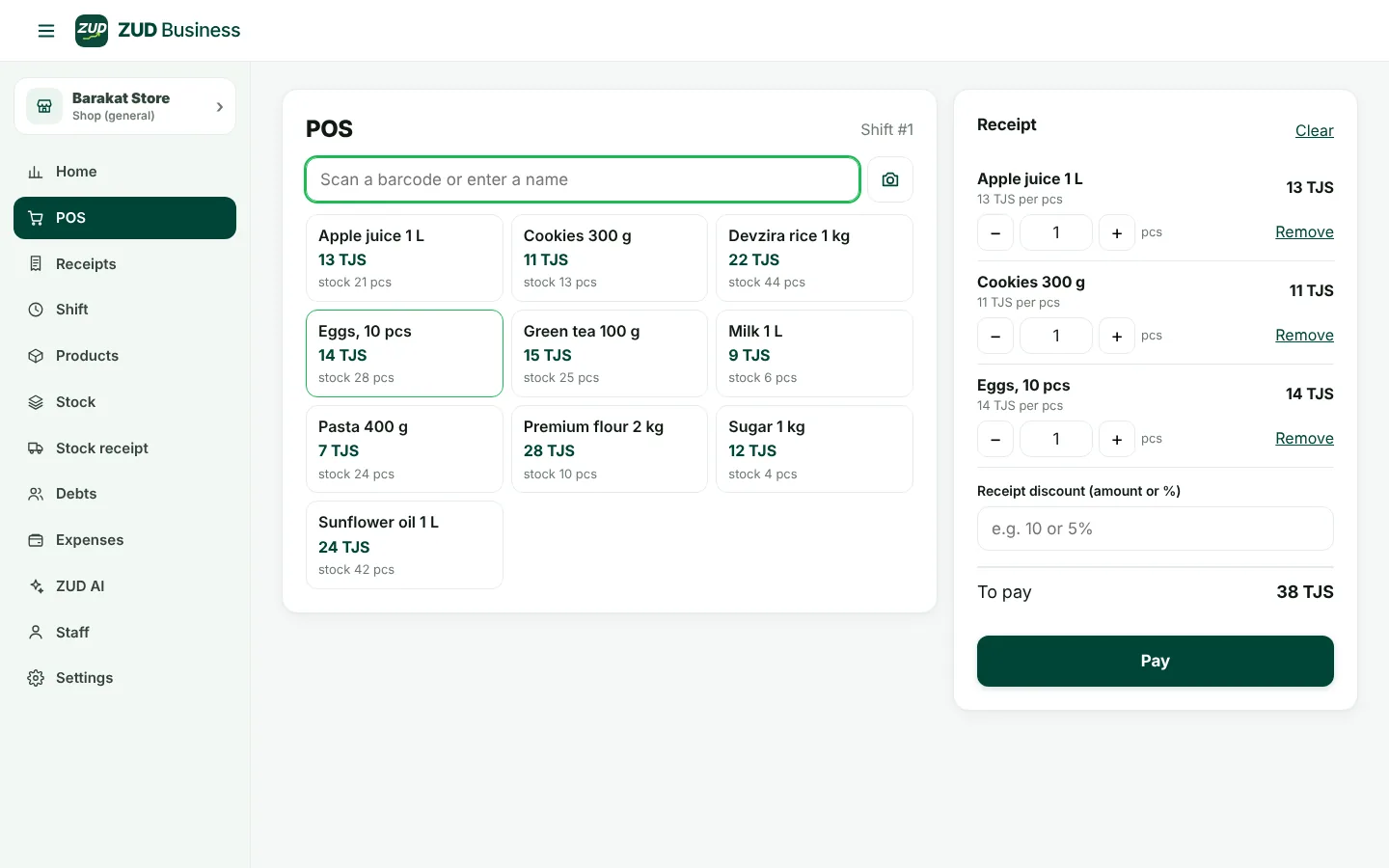
Connection lost? The POS keeps selling. Sales sync automatically.
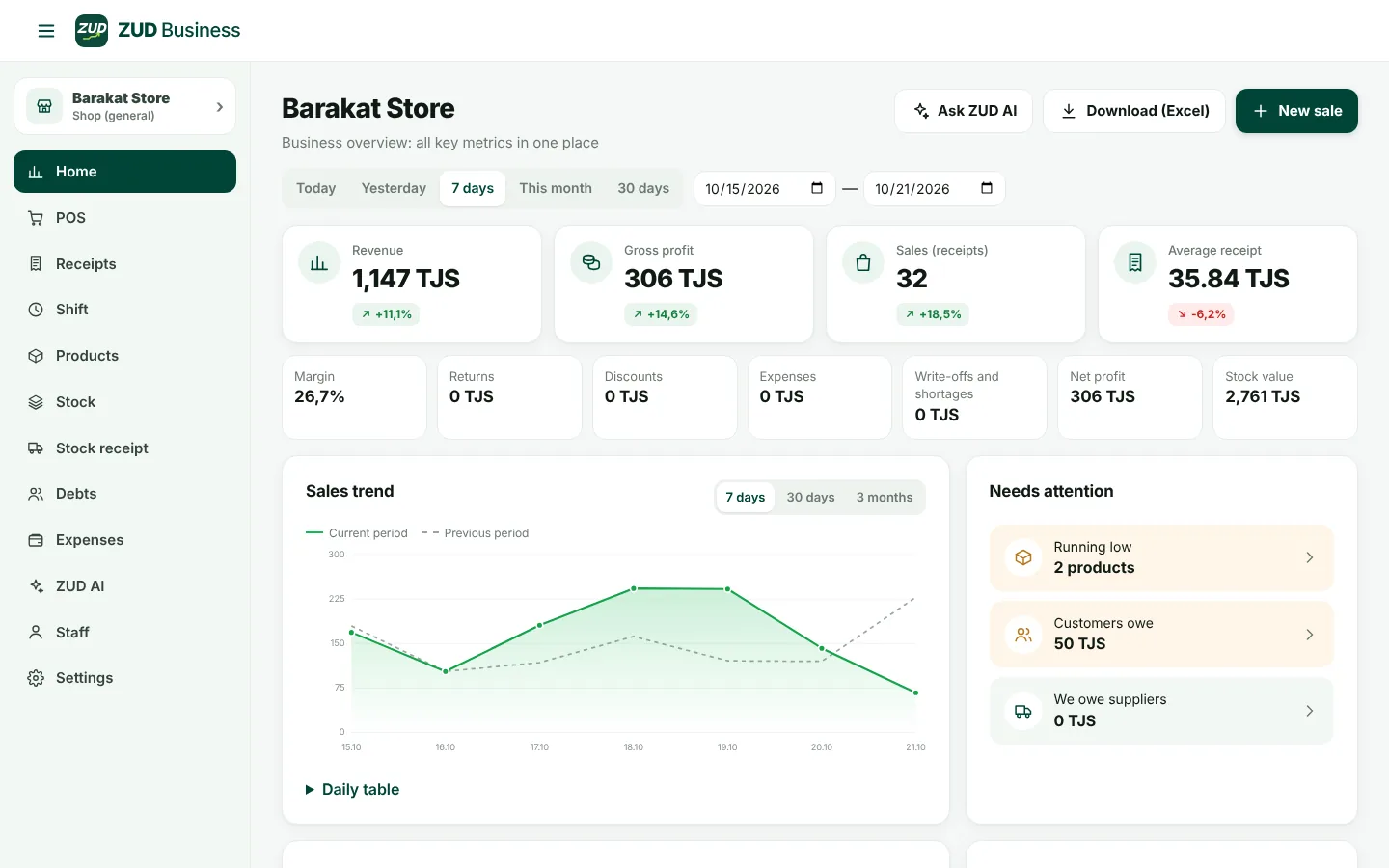
Barcodes, sizes and colors, goods sold by weight. See at a glance what's running low.
Incoming goods, purchase prices, expiry dates and what you owe suppliers.
Who owes how much, credit limits and payment history — no more notebook.
Rent, salaries, electricity — and net profit for any day, week or month.
Cashiers see only the POS, owners see everything. Shifts and cash reconciliation.
Several shops and warehouses, with stock transfers between them.
02Interface
Real screens from the system: home, checkout and ZUD AI.
03ZUD AI
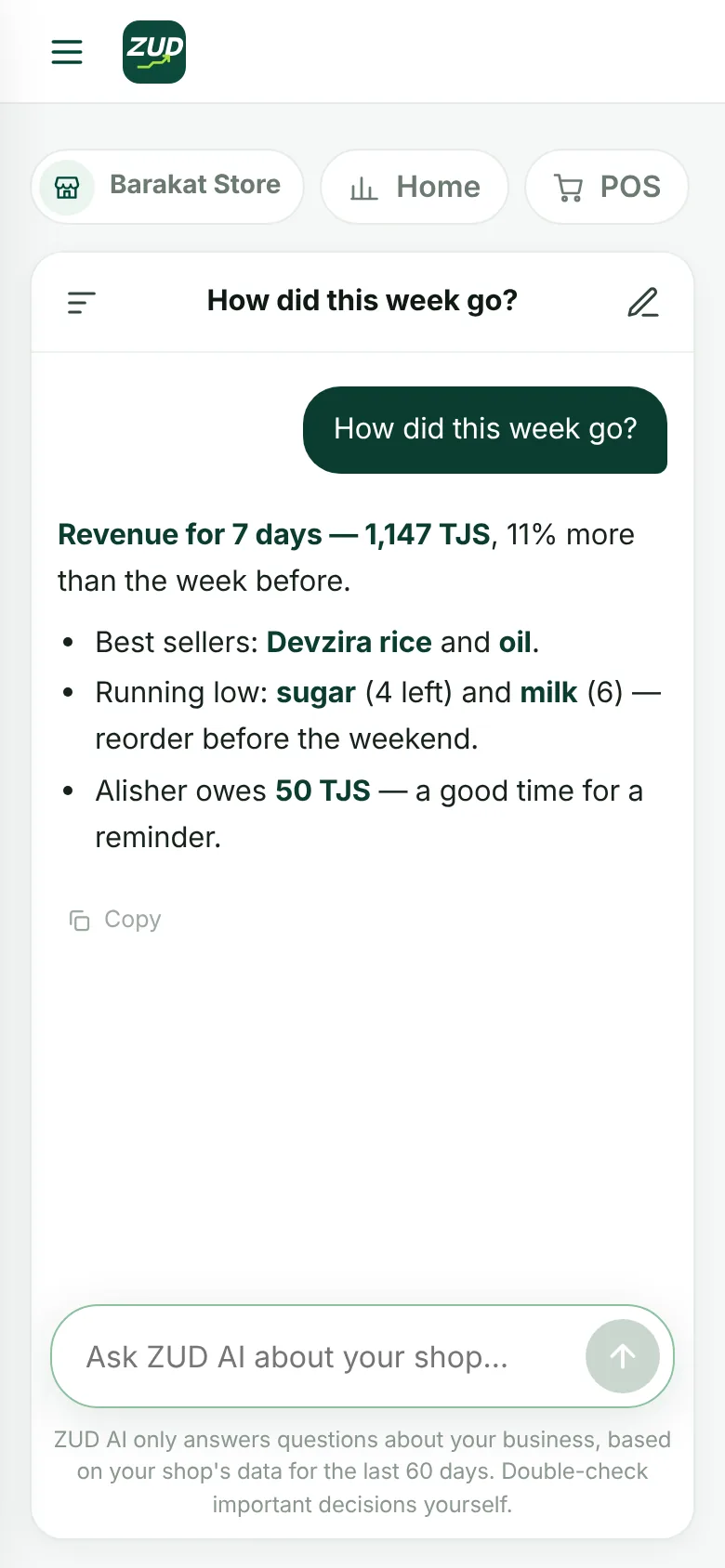
Ask in your own words — in Russian, Tajik or Uzbek. ZUD AI answers using your shop's numbers.
It only answers questions about your business. No one else can see your shop's data.
How the week went and why profit changed
Which products will run out soon and what to reorder
Which customer owes the most
04Who it's for
The features you need are switched on for your type of business.
Fast checkout, goods by weight, expiry dates, credit for regular customers.
Sizes and colors for every product, your own QR labels, discounts.
Stock levels, receipts with expiry dates, multiple locations.
Wholesale prices, goods in kilograms and meters, customer and supplier debts.
05Hardware
We recommend tested hardware: plug it in and your POS is ready. Every device's status is visible in the system.
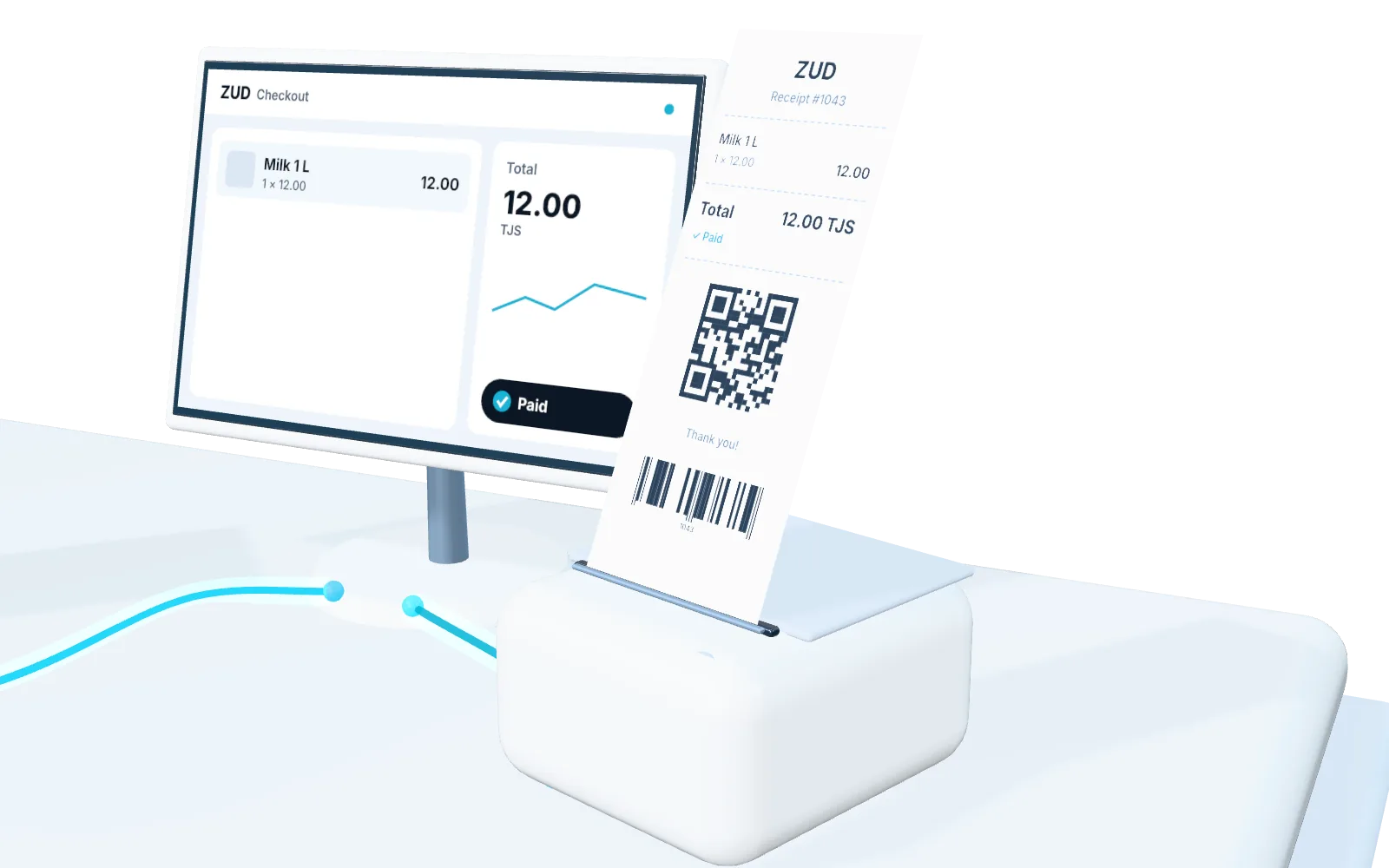
How it works at the counter
Reads our QR labels and factory barcodes.
QR · barcodeBluetooth, battery powered. Prints receipts and QR labels on sticker rolls.
receipts · labelsThe Devices section: scanner status, test receipt, which registers are connected — all on one screen.
status · control06Onboarding
Fill in the form below — we'll call you back within a day.
We create your shop's account and give you the app. Sign-up is closed — strangers can't get in.
The first month is free. We'll help you add your products and train your staff.
First month free
07Pricing
First month free. Billed monthly, in somoni.
To try it out
For a working shop
Everything + ZUD AI
08Security
Only we create accounts. The owner adds their own staff.
Each shop sees only its own data — that's how the database itself is built.
Cashiers don't see profit or purchase prices unless you allow it.
Data is stored in a data center in Frankfurt, Germany.
09FAQ
Leave a request — we’ll call back and answer all your questions.
Request accessTo sign in and sync data — yes. But if the connection drops, the POS keeps working: sales are saved on the phone and sent automatically when the internet is back.
Any USB or Bluetooth scanner that works like a keyboard. On a phone you can scan with the camera.
Yes, on a regular or receipt printer. You can choose what appears on the receipt.
The first month is free. After that it’s monthly: Standard — 100 TJS, Pro — 150 TJS a month.
Add products with a scanner or from a list. We'll help you with it when you get connected.
The system runs in an app we give you after you're connected. It's safer: only your staff can sign in.
10Get started
Leave your number — we'll call you, walk you through the system and connect your shop.